

I started looking at time tracking software after my partner Callum asked why I’d billed 31 hours when it felt like closer to 40. For months I’d been guessing my hours from memory every Friday afternoon. Now I log as I go, and the guessing is over.
- What time tracking software does
- Where I started and what I got wrong
- Kinds of tools you’ll see:
- Five things I check before picking one
- Free plans and paying later
- Tracking a team
- Privacy and safety
- Where I am now
- Last thing
- Conclusion
- FAQ’s
- Q1.What is time tracking software?
- Q2.Is free time tracking software good enough for a freelancer?
- Q3.How do I remember to actually use time tracking software?
- Q4.Can I use time tracking software to track employees?
- Q5.Does time tracking software make you more productive?
- Summary:
Time tracking software records how long you spend on tasks, and the best one is whichever you’ll open every day. I once lost a whole Friday afternoon rebuilding my week from sent emails.
Here’s the mess I made, and what I’d tell a friend.
A freelancer explains time tracking software, why her Friday guessing cost her money, and the tool she opens every day.
What time tracking software does
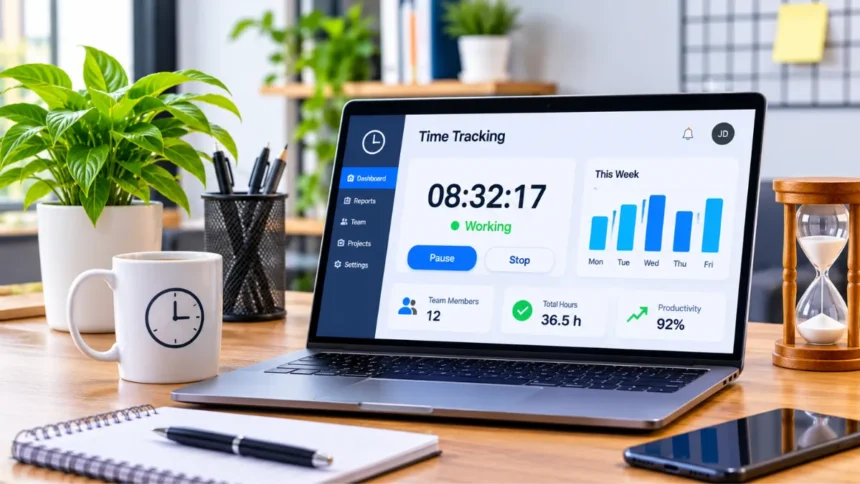
It records how long you spend on tasks, clients or projects, with a timer or manual entries. Many tools turn those hours into reports or timesheets that can feed invoices or payroll, though features differ from one product to the next. People search for it to bill accurately, see where the week went, or keep a small team honest about hours. One catch. It only records what actually gets logged.
Where I started and what I got wrong
The Friday at the kitchen table:
It was a Friday in March, around 4:30, and I was at the kitchen table with a mug of cold tea, trying to rebuild my week. I do freelance design work, and my hours lived on sticky notes and in my head. I scrolled through sent emails and calendar entries, guessing. Callum walked in and read the invoice over my shoulder. “Thirty-one hours? You were at that laptop all weekend.”
I said that was different. He said, “Was it?”
Not great. I’d undercharged one client for most of a month. I only found out because Priya, who shares a studio desk with me, mentioned she’d tracked her own week and been shocked by the gap between what she assumed and what she logged. That was the nudge.
The tool was never the problem:
I figured the hard part would be picking the right software. Wrong. I tried a free tool and forgot to start the timer for the first nine days. Then I tried a second one and forgot there too.
What finally worked was boring. I put the timer where I’d see it, started it before opening any project file, and stopped it when I got up for lunch. Setup took 22 minutes the first morning. By week three I’d stopped losing Fridays.
I still can’t decide whether tracking every small task is worth it or just makes me fussy. I log the big blocks and skip the five-minute stuff, which probably isn’t ideal…
Kinds of tools you’ll see:
Most time tracking software falls into a few groups, and some tools mix them.
Timer-based tools:
You press start and stop. They suit work that happens in clear blocks, if you remember to press.
Manual timesheets:
You type hours in afterward. Simple, but it’s the same guessing I was trying to get away from.
Automatic trackers:
Some apps watch which apps or sites you use and suggest entries. They can save effort, but read the privacy settings before turning one on.
Five things I check before picking one
Before I try any new tool, I run through this:
- Can I start a timer in two clicks or fewer?
- Does it work on my phone, since I forget at my desk?
- Can I export my hours in a format my invoicing needs?
- Is it clear what data gets collected and who can see it?
- Can I leave and take my records with me?
Free plans and paying later
Plenty of tools have a free tier, and limits and prices change often, so I read the current plan page before deciding. I wouldn’t pay until I’d tracked steadily for a few weeks and hit a real limit. A subscription for something you forgot to open is just a monthly reminder of the habit you skipped.
Tracking a team
Mr. Brandt, who runs a small landscaping crew down the street, asked if he should use this for his staff. I told him I didn’t know his rules. Employers can have legal duties around recording hours and pay, and those depend on where you are and the kind of work. A tax or employment professional can answer that, and I can’t. If you track other people’s time, tell them plainly what’s recorded and why.
Privacy and safety
Read the tool’s own site, privacy policy and settings before you sign up, especially for anything that captures screens or activity. Use only the real site or app, never a lookalike link from an ad, and skip shared computers for anything with client names in it. I keep sensitive details out of my project notes altogether.
Where I am now
I use one timer app on my phone and one on my laptop, and they sync. Wendell, my brother, asked last week if tracking made me work more. I think it made me notice more. Time tracking software didn’t fix my Fridays by itself, but it made the gaps visible.
Last thing
Time tracking software only worked for me once I started the timer before opening the file. There’s a yellow sticky note on the edge of my monitor, corner curling, that says “start the timer first.”
Conclusion
Time tracking software only worked for me once I started the timer before opening the file, and I’ve stopped pretending I’ll remember otherwise. There’s a yellow sticky note on the edge of my monitor, corner curling, that says “start the timer first.” Callum reads it aloud whenever he walks past.
FAQ’s
Q1.What is time tracking software?
A tool that records how long you spend on tasks, projects or clients, with a timer or manual entries.
Q2.Is free time tracking software good enough for a freelancer?
For a while, yes. I stayed on free plans for weeks before I hit a limit that mattered. Plans change, so check the current page before you rely on one. Your own workload might hit the limits sooner than mine did.
Q3.How do I remember to actually use time tracking software?
I put the timer where I’d see it and start it before opening any project file. It took about three weeks before I stopped forgetting.
Q4.Can I use time tracking software to track employees?
I can’t answer that for your situation. Legal and payroll rules depend on where you are and the kind of work, so ask an employment or tax professional, and tell your team clearly what’s being recorded.
Q5.Does time tracking software make you more productive?
Not directly, for me. It made the gaps in my week visible, and what I did about them was up to me.
Summary:
Odette, a freelance designer, guessed her hours every Friday and undercharged a client for about a month. Time tracking software helped once she started the timer before opening any file. Features, prices and privacy settings differ between tools, so check current plans, and ask a qualified professional about employment rules.