


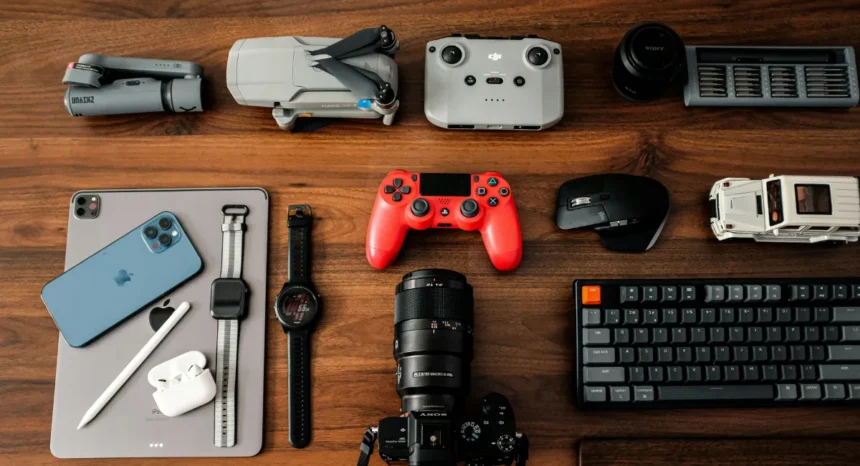
Picture a Tuesday afternoon where your earbuds die mid-call and your phone sits at 9 percent. The only charger in reach is a frayed cable, and the nearest shop sells a replacement at triple the price. Moments like that explain most searches for the best budget tech gadgets for everyday use.
The best budget tech gadgets for everyday use come down to five things: earbuds, a power bank, a wireless mouse, a USB-C charger, and a few laptop accessories. Every one of them is easy to buy badly, so a quick spec check pays off. The rest of this guide goes through each one in order.
- Short answer: five cheap upgrades cover most daily needs.
- Wireless earbuds without the premium price
- Power banks and the airplane rule
- A wireless mouse is a cheap comfort fix
- USB-C chargers: watts matter more than the plug
- Laptop accessories worth a few dollars
- Five checks before buying anything cheap
- What cheap tech can’t promise
- When does it make sense to spend more?
- Conclusion:
- Frequently asked questions:
- Q1. What are the best budget tech gadgets for everyday use?
- Q2. Is a 20,000 mAh power bank allowed on a plane?
- Q3. Do I need a special cable for a USB-C charger?
- Q4. Is it safe to buy the best budget tech gadgets for everyday use from unknown brands?
- Q5. Should I pick a Bluetooth mouse or a receiver mouse?
- Summary:
Discover the best budget tech gadgets for everyday use, from affordable earbuds and power banks to fast chargers and wireless mice.
Short answer: five cheap upgrades cover most daily needs.
The best budget tech gadgets for everyday use are the unglamorous ones: earbuds that stay connected, a power bank for long days, a mouse that fits your hand, a charger that matches your devices, and a few laptop add-ons. Models and prices change weekly, so this guide sticks to what to check rather than naming a winner.
Star ratings help, but they blend fit, taste, and shipping speed into one number. A spec sheet tells you more. Two minutes with it can save you from a charger that can’t power your laptop.
Wireless earbuds without the premium price
Budget wireless earbuds are the easiest of the best budget tech gadgets for everyday use to buy badly, mostly because fit varies so much from person to person.
Fit and sound
An earbud that doesn’t seal in your ear loses bass and lets in noise, whatever the box promises. Check the return policy before opening the case. Nearly all Bluetooth earbuds support the basic SBC codec, and many add AAC for iPhones or aptX for some Android phones. At low prices, tuning and fit often matter more than codec names.
Battery and water claims
Battery numbers often come from manufacturer tests at moderate volume, so noise cancelling or loud listening can shorten them. Look at the case as well, since it adds extra charges. An IPX4 rating means splash resistance. It does not mean you can rinse them under the tap.
Power banks and the airplane rule
Printed capacity is measured at the battery cell’s voltage, so a 10,000 mAh bank won’t deliver 10,000 mAh to your phone. Conversion losses mean you get less, and a phone with a 5,000 mAh battery may see fewer than two full charges. Not great, but normal.
To compare a bank against airline limits, multiply mAh by voltage and divide by 1,000. At 3.7 volts, 10,000 mAh is roughly 37 Wh.
A power bank earns a spot among the best budget tech gadgets for everyday use only if its label lists capacity and output clearly. Spare lithium batteries go in carry-on; never checked bags, and 100 Wh or less is allowed without airline approval. Some airlines have tightened their own rules this year, including where you can keep the bank, so check your carrier before you fly.
A wireless mouse is a cheap comfort fix
A trackpad is fine for email and tiring for a long spreadsheet session. A basic wireless mouse changes that for little money. The main choice is connection type. A 2.4 GHz receiver plugs into a USB-A port and generally connects without fuss, but many thin laptops only have USB-C, so you may need an adapter. Bluetooth skips the receiver, although first-time pairing can be fiddly. Ignore DPI numbers for office work. Size matters more, since a mouse that’s too small can leave your hand cramped.
USB-C chargers: watts matter more than the plug
Matching wattage
USB Power Delivery lets a charger and device agree on voltage and current, so a more powerful charger generally won’t harm a compatible device. The reverse is the problem. A 20-watt charger may charge a 65-watt laptop slowly or fail to keep up while you work. Check the wattage printed on your laptop’s original adapter and match it. One of the best budget tech gadgets for everyday use may be a single good charger that also covers your phone and tablet.
Cables and safety marks
Cables count too. Many USB-C cables are limited to 60 watts, and higher power needs a cable built for it. Look for a recognized safety listing, such as UL, on the charger. If a price looks impossibly low for the wattage claimed, be suspicious. Counterfeits exist.
Laptop accessories worth a few dollars
Stand and keyboard
Common ergonomics guidance suggests the top of your screen should sit near eye level. A stand gets you there, but you will want a separate keyboard so your wrists aren’t reaching upward.
USB-C hub
Check the video spec before buying. Some hubs output 4K at only 30 Hz, which can feel sluggish. Pass-through charging wattage matters too, and hubs can run warm.
Sleeve and small extras
A padded sleeve and a cable organizer are dull and handy. Laptop extras are easy to overlook, yet they belong among the best budget tech gadgets for everyday use.
Five checks before buying anything cheap
These checks apply to nearly all budget tech gadgets for everyday use.
- Read the return policy and warranty first, since a 30-day window only helps if you test the gadget early.
- Compare specs on the product page, such as wattage, Bluetooth version, and port type, instead of relying on star ratings.
- Buy from sellers that clearly identify the brand, because counterfeit chargers and batteries do exist.
- Match the gadget to your routine, since a commuter and a desk worker need different things.
- Stop using any power bank that swells, smells odd, or gets hot, and contact the manufacturer.
What cheap tech can’t promise
Even the best budget tech gadgets for everyday use involve trade-offs, often in build quality, software updates, or battery lifespan. Box specs come from the manufacturer and aren’t independent test results. Results also vary with your phone, laptop, and software version. If a gadget will touch a work laptop, such as a hub or an unfamiliar accessory, ask your IT team first.
When does it make sense to spend more?
Pay more for things that sit in your ears for hours or hold a big battery, such as earbuds and power banks, especially when a known brand offers clearer warranty terms. A basic mouse or stand carries less risk if it turns out mediocre. The best budget tech gadgets for everyday use are the ones where a disappointment costs you little.
Conclusion:
Choosing the best budget tech gadgets for everyday use mostly means reading labels and checking return windows. Flip your power bank over and look for the Wh number printed in tiny type. If it’s missing, you have your answer.
Frequently asked questions:
Q1. What are the best budget tech gadgets for everyday use?
I’d start with whatever fixes your most frequent annoyance. For many people that is a charger or power bank, for desk workers a mouse, and for commuters earbuds. Pick one, test it early inside the return window, then decide whether the rest are worth buying.
Q2. Is a 20,000 mAh power bank allowed on a plane?
Yes, at 3.7 volts it works out to roughly 74 Wh, which is under the common 100 Wh limit, but it must go in carry-on and your airline may add its own rules.
Q3. Do I need a special cable for a USB-C charger?
For phones, the cable in the box is fine. For laptops above 60 watts, I’d buy a cable rated for that power.
Q4. Is it safe to buy the best budget tech gadgets for everyday use from unknown brands?
I’d stick to sellers with a clear return policy and listed safety marks, especially for chargers and power banks, and skip anything with an implausibly low price.
Q5. Should I pick a Bluetooth mouse or a receiver mouse?
I’d choose Bluetooth if your laptop has no free USB-A port, and a receiver if you want less pairing hassle. Both work well for office tasks, though the receiver adds one more small thing to lose.
Summary:
The best budget tech gadgets for everyday use include wireless earbuds, power banks, a wireless mouse, USB-C chargers, and laptop accessories. Check wattage, battery capacity, connection type, return policy, and safety marks before buying. Airline rules limit power banks in carry-on bags, and manufacturer specifications may differ from real-world results.